
 16 July 2026
 Share
Share
1
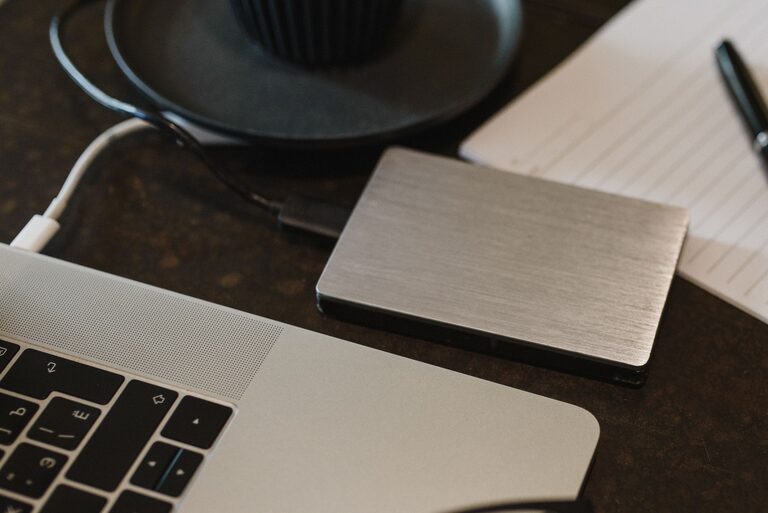
Backing up your photos and files is one of the smartest things you can do to protect your valuable digital memories and important documents. Whether it’s family photos, work projects, or personal files, losing data due to hardware failure, accidental deletion, or theft can be frustrating and costly. The good news is that backing up your data doesn’t have to be complicated. In this article, we’ll guide you through easy methods to back up your photos and files effectively.
Backing up means creating copies of your data and storing them separately from the original files. This is important because:
– Prevents data loss: If your computer crashes or your device is lost or stolen, backups ensure you can recover your data.
– Protects against accidental deletion: Mistakes happen. Backups give you a safety net.
– Guards against malware and ransomware: Infections can corrupt files. Having backups helps restore clean versions.
– Peace of mind: Knowing your data is safe reduces stress.
There are several ways to back up your photos and files. Here’s a look at the most common options:
Using an external hard drive or USB flash drive is one of the simplest methods.
– Advantages:
– Fast data transfer speed
– Large storage capacity
– One-time cost with no ongoing fees
– Disadvantages:
– Can be lost, stolen, or damaged
– Requires manual updates if not automated
Cloud backup means storing your files on internet-based servers managed by companies such as Google Drive, Dropbox, or Microsoft OneDrive.
– Advantages:
– Access your files from any device with internet
– Automatic syncing and backup options
– Protects against physical damage or loss of devices
– Disadvantages:
– Requires reliable internet connection
– May involve subscription fees for additional storage
– Consider privacy and security settings
NAS devices are like personal cloud systems for your home or office network.
– Advantages:
– Centralized storage accessible from multiple devices
– Can include automatic backup settings
– Disadvantages:
– More expensive upfront
– Requires some technical setup
Before backing up, take time to organize your files:
– Create folders by category (e.g., Photos, Documents, Work)
– Delete duplicate or unnecessary files
– Rename files with clear, descriptive names
Based on your needs and budget, pick one or more backup options from the list above. Many people use a combination of local (external drives) and cloud backups for extra security.
Depending on your chosen method, here’s how to proceed:
– External Drive Backup:
– Connect the drive to your computer.
– Copy your files manually or use backup software for automated scheduled backups.
– Cloud Backup:
– Sign up or log into a cloud service.
– Upload your files manually or install the desktop app to sync folders automatically.
– NAS Backup:
– Install and configure the NAS device on your network.
– Use provided software to schedule backups.
Backing up once isn’t enough. Set a reminder or enable automatic backups:
– Daily or weekly backups are ideal for frequently updated files.
– Monthly backups may suffice for rarely changed data.
Occasionally check your backup files to ensure they are complete and accessible. Try restoring a few files to confirm the process works.
– Use multiple backup locations: Combine local and cloud backups for extra protection.
– Keep backups updated: Don’t forget to add new files regularly.
– Secure your backups: Use passwords and encryption where possible to protect sensitive data.
– Label your backup devices: Keep track of external drives to avoid confusion.
– Test your backups: Regularly confirm that your backups can be restored.
– Don’t rely on a single backup method.
– Avoid storing backups in the same physical location as your original files (risk of theft, fire, or flood).
– Don’t ignore software updates for your backup tools.
Backing up your photos and files is a simple habit that can save you a lot of trouble. By choosing the right backup solutions and maintaining regular backups, you protect your digital life from unexpected losses. Start today by organizing your files and picking a backup method that fits your lifestyle and budget. Your future self will thank you!
